Designing a website users genuinely enjoy is not an accident. It is the result of intentional
UI/UX strategy, psychological understanding, mobile-first architecture, and structured
design principles. We create digital experiences that convert, retain, and delight users by
aligning business goals with user behavior.
A successful website is not simply attractive. It is intuitive, fast, conversion-driven,
emotionally engaging, and strategically structured. Below, we break down everything required
to design a website that users truly enjoy using — and that performs at the highest level in
search and conversion metrics.
Top 10 UI/UX Mistakes That Destroy User Experience
Avoiding critical UI/UX mistakes is the first step toward creating a powerful website
experience.
1. Overcomplicated Navigation
When menus are cluttered or confusing, users leave. We design clear, hierarchical
navigation
systems that guide users naturally toward their goals.
2. Slow Page Load Speed
Users expect speed. Every extra second increases bounce rates. We optimize images,
scripts,
caching, and hosting to ensure lightning-fast performance.
3. Poor Mobile Responsiveness
A non-responsive website alienates mobile users. We implement responsive grids and
adaptive
layouts that function seamlessly on every screen size.
4. Weak Visual Hierarchy
Without proper hierarchy, users cannot scan content effectively. We use strategic font
scaling, spacing, color contrast, and alignment to direct attention.
5. Excessive Pop-Ups
Interruptions damage trust. We integrate conversion-focused CTAs without overwhelming the
user experience.
6. Inconsistent Branding
Inconsistent fonts, colors, and layouts create confusion. We maintain strong brand
cohesion
across every page.
7. Ignoring Accessibility
Accessibility is non-negotiable. We follow WCAG standards, ensure proper contrast ratios,
and
enable keyboard navigation.
8. Overuse of Animations
Animations should enhance, not distract. We use micro-interactions strategically to
improve
engagement.
9. Lack of Clear Call-to-Action
Every page needs a purpose. We design high-visibility, persuasive CTAs aligned with user
intent.
10. Ignoring User Feedback
Design without data fails. We integrate analytics, heatmaps, and usability testing to
continuously improve experience.
Psychology Behind Great UI/UX Design
Understanding human psychology allows us to design interfaces that feel natural and
persuasive.
1. Cognitive Load Reduction
We simplify interfaces to reduce mental effort. Minimal design enhances clarity and
speeds
decision-making.
2. The Fitts’s Law Principle
Interactive elements are sized and positioned for maximum accessibility and quick
interaction.
3. Color Psychology
Colors influence emotions and actions. Blue builds trust. Red drives urgency. Green
suggests
growth. We choose palettes aligned with brand strategy and behavioral goals.
4. Gestalt Principles
We apply proximity, similarity, and continuity to create visual harmony and intuitive
grouping.
5. Social Proof & Authority
Testimonials, ratings, and trust badges reinforce credibility. Users follow perceived
consensus.
6. The Zeigarnik Effect
Incomplete tasks remain in memory. We use progress bars and step indicators to encourage
completion.
Psychology-driven UI/UX ensures the interface does not just look good — it feels right.
Mobile-First UI/UX: Designing for the Modern User
Mobile traffic dominates the digital landscape. Designing desktop-first is outdated. We
implement mobile-first UI/UX design as the foundation.
1. Responsive Framework Architecture
We begin with small screens and scale upward, ensuring core functionality remains intact
across devices.
2. Touch-Optimized Interfaces
Buttons, links, and forms are designed for thumb-friendly interaction zones.
3. Streamlined Content Strategy
Mobile users scan quickly. We use concise headlines, scannable sections, and bullet
formatting.
4. Performance Optimization
Mobile-first means prioritizing speed. Lazy loading, compressed assets, and lightweight
code
are essential.
5. Progressive Enhancement
Core functionality loads first, then enhanced features adapt based on device capability.
Mobile-first design improves SEO performance, reduces bounce rates, and enhances user
satisfaction.
UI/UX Design for Startups: Building Smart From Day One
Startups must maximize impact with limited resources. We design lean, scalable UI/UX
systems
that grow with the business.
1. MVP-Centered Design
We focus on core features first, ensuring clarity and simplicity.
2. Conversion-Focused Layouts
Every element supports business goals: sign-ups, sales, bookings, or inquiries.
3. Scalable Design Systems
We create reusable components to ensure brand consistency as the platform expands.
4. User Research Before Launch
Even startups need validation. We conduct competitor analysis, persona mapping, and
usability
testing before development.
5. Data-Driven Iteration
Launch is the beginning. Continuous testing ensures long-term growth.
For startups, great UI/UX is not decoration — it is a growth engine.
What Are the 7 C's of Website Design?
The 7 C’s of Website Design create a structured framework for digital success:
1. Context
The overall layout, visual design, and structure of the site.
2. Content
High-quality, relevant, and optimized content that delivers value.
3. Community
Interactive elements that encourage engagement.
4. Customization
Personalized experiences based on user behavior.
5. Communication
Clear messaging and seamless user interaction.
6. Connection
Links to external systems, social media, or integrated services.
7. Commerce
Secure and frictionless transaction systems.
We integrate all 7 C’s cohesively to create a website that functions strategically and
performs commercially.
What Are the Three Keys to a Successful Website?
A successful website rests on three core pillars:
1. Clarity
Users must instantly understand what the website offers. Clear headlines and structured
layouts eliminate confusion.
2. Credibility
Professional design, testimonials, and transparent information build trust.
3. Conversion
Every page must guide users toward a measurable action.
When clarity, credibility, and conversion align, performance metrics improve
dramatically.
What Is the 3 Second Rule in Website Design?
The 3 second rule in website design states that users decide within three seconds whether
to
stay or leave.
We ensure those first three seconds deliver:
- A compelling headline
- Clear value proposition
- Visual trust signals
- Fast load speed
- Immediate navigational clarity
Above-the-fold optimization is critical. We eliminate distractions and focus on impact
immediately.
Advanced Strategies to Elevate UI/UX Performance
Beyond fundamentals, we implement advanced optimization strategies:
1. Micro-Interactions
Subtle animations that confirm actions enhance usability.
2. Predictive Search
Autocomplete and intelligent filtering speed navigation.
3. Dark Mode Compatibility
User-controlled visual modes increase accessibility and comfort.
4. AI-Driven Personalization
Behavior-based content adjustments improve engagement.
5. Advanced Typography Pairing
We use typography hierarchy to guide attention and reinforce branding.
6. Conversion Funnel Mapping
We map every stage from entry to conversion and remove friction points systematically.
What Are the Four Stages of Web Design?
The four stages of web design ensure a structured and successful website creation
process:
- Planning & Strategy – Define goals, target
audience, sitemap, and user journey.
- Design (UI/UX) – Create wireframes, layouts,
branding, and mobile-friendly interfaces.
- Development – Convert designs into a
functional website with clean, responsive code.
- Testing & Launch – Test performance, fix
bugs, ensure compatibility, and go live.
Following these four stages helps create a website that is clear, user-friendly, and
high-performing.
Using 3D Design to Create Websites Users Enjoy
To design a website users actually enjoy using, adding smart 3D modeling can
significantly
enhance the experience. When implemented strategically, 3D visuals make websites more
interactive, engaging, and memorable without compromising usability.
Subtle animations, interactive product views, and immersive sections help users explore
content naturally while keeping navigation clear and intuitive. The key is balancing
performance, speed, and user experience with modern visual impact.
When combined with strong UI/UX principles and mobile-first design, 3D features can
elevate
your website from standard to standout.
To explore real-world implementations of modern interactive designs, visit our 3D Web Design.
UI vs UX: What’s the Difference?
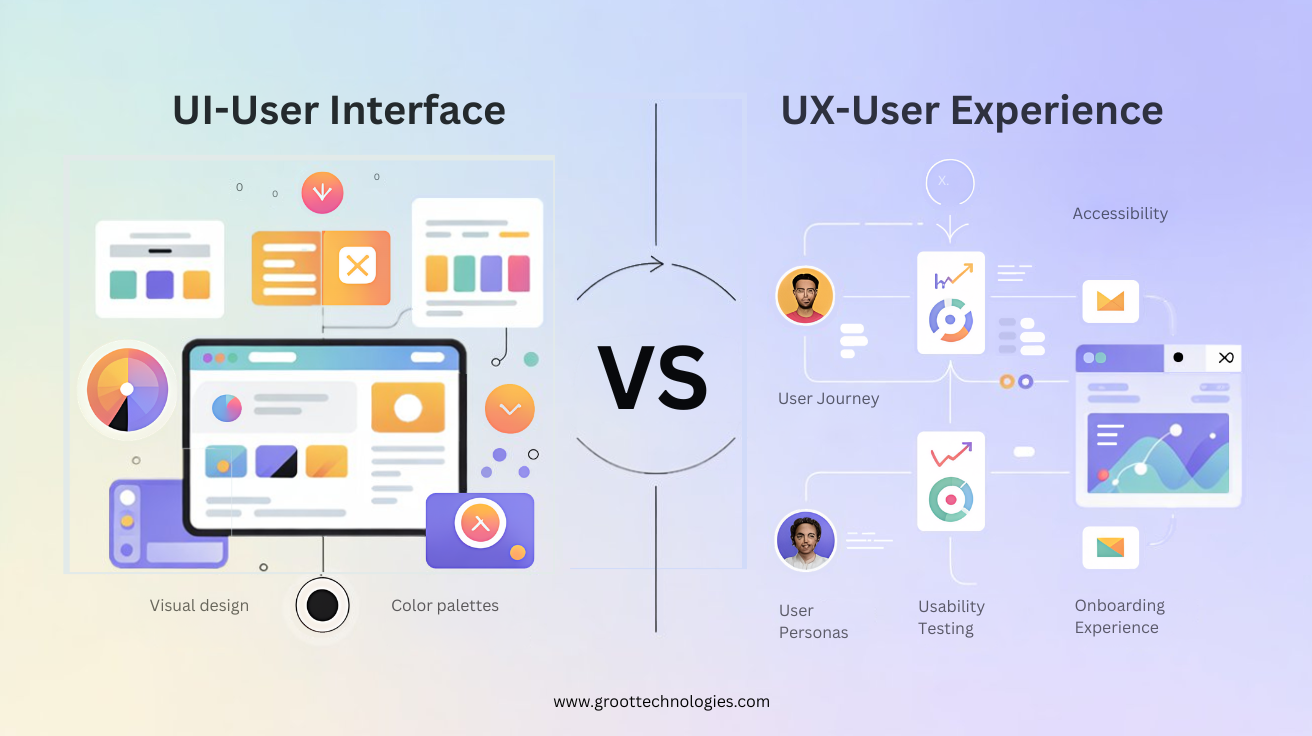
UI (User Interface) and UX (User Experience) are closely related but serve different
purposes
in web and app design.
UI – User Interface
UI focuses on the visual and interactive elements users see and touch.
It includes:
- Colors and typography
- Buttons and icons
- Layout and spacing
- Images and visual design
In simple terms, UI is how the product looks and feels visually.
UX – User Experience
UX focuses on the overall experience and usability of the product.
It includes:
- User journey and flow
- Ease of navigation
- Page speed and performance
- Accessibility and functionality
In simple terms, UX is how the product works and how users feel while using it.
Simple Example
If a website looks beautiful but is confusing to use → Good UI, Poor UX.
If a website is easy to use but visually outdated → Good UX, Weak UI.
Conclusion: Designing Websites Users Truly Enjoy
Designing a website users enjoy requires precision, psychology, structure, mobile
optimization, and relentless refinement. By eliminating common UI/UX mistakes, applying
behavioral design principles, adopting mobile-first strategies, and implementing the 7
C’s
framework, we create digital platforms that perform exceptionally.
The websites that dominate search rankings and convert visitors into customers are those
built with clarity, speed, emotional intelligence, and strategic intent.
 GROOT
TECHNOLOGIES
GROOT
TECHNOLOGIES